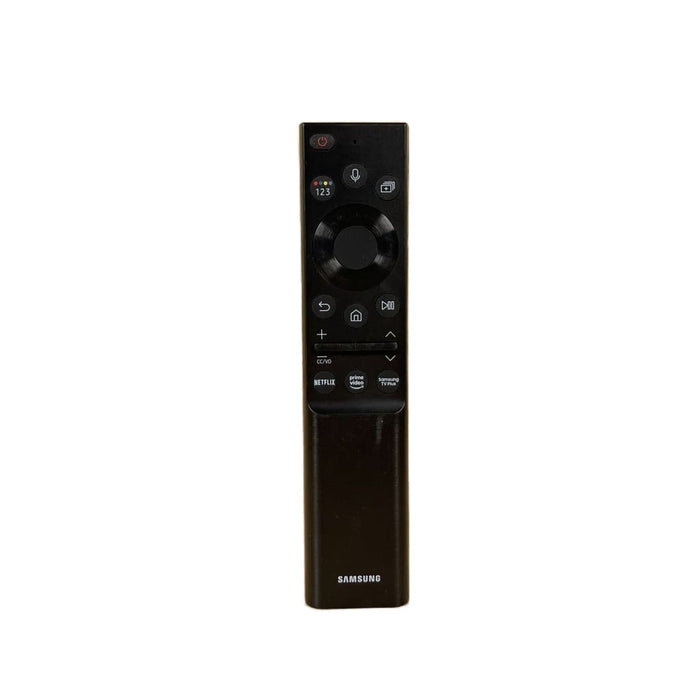


Samsung BN59-01357F Smart TV Solar Cell Rechargeable Remote Control
Brand: Samsung | Model: BN59-01357F (SolarCell)
Product Description
Restore premium control over your home theater setup with an original OEM Samsung BN59-01357F Smart TV SolarCell Remote Control. This authentic factory original replacement features Samsung's eco-friendly solar panel backing, offering seamless out-of-the-box navigation for Neo QLED 4K, 8K, and Frame Smart TVs with no programming codes required.
Product Condition & Quality Notes
- Authentic SolarCell OEM: This is a true factory-original remote from Samsung, featuring an integrated internal rechargeable battery pack. It charges seamlessly using indoor lighting, outdoor sunlight, or a standard USB-C cable. Note: This eco-design does not use loose batteries and features a solid, seamless back with no battery door.
- Tested & Sanitized: Every remote control is thoroughly cleaned, sterilized, and systematically tested across Bluetooth, infrared, and solar-charging cells to guarantee flawless performance.
- Great Condition: These are previously used original units in excellent working order with minimal cosmetic wear (minor surface scuffs or light scratches possible from gentle previous handling).
- 60-Day Guarantee: Shop safely knowing your purchase is fully backed by our risk-free, 60-day money-back satisfaction guarantee.
Samsung Neo QLED, 8K, & The Frame TV Compatibility List
The BN59-01357F voice remote control operates natively with the following premium Samsung television models:
Note: This remote utilizes Bluetooth to register its voice commands. To pair it to your display upon arrival, ensure your TV is turned on, point the remote directly at the screen, and press and hold the "Return" (back arrow) and "Play/Pause" buttons simultaneously for 3 to 5 seconds.
Affiliate Links: We may earn commissions from purchases made through links to eBay and other affiliate partners on this page. Product availability and pricing are subject to change on their websites. View our full Affiliate Disclosure Policy.